


Tutorial – Mountaintop Removal in Google Earth
The “Appalachian Mountaintop Removal” layer
If you already have Google Earth on your computer, you can view the Appalachian Mountaintop Removal layer without downloading anything – it’s featured right in the “Layers” menu under “Global Awareness”. If you don’t already have Google Earth, it’s easy and free to install.
Viewing the Layer in the “Global Awareness” menu
Once you have Google Earth open on your computer, open the “Global Awareness” folder in the “Layers” menu at the bottom left portion of your screen. The first item inside “Global Awareness” is “Appalachian Mountaintop Removal” with a little blue and white flag icon net to it. Check the box next to this folder to turn on the layer and then double-click the icon to “fly to” the Appalachian coalfields. Clicking on “User’s Guide” will help you make the most of your visit.
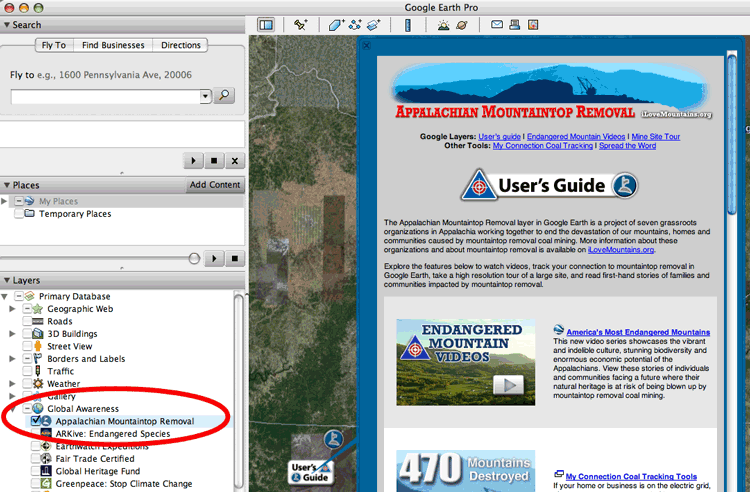
The latest version of the Appalachian Mountaintop Removal layer in Google Earth includes the following features, and more!
|
|
America’s Most Endangered Mountains A video series showcasing stories of individuals and communities facing a future where their natural heritage is at risk of being blown up by mountaintop removal coal mining. |
|
High Resolution Mine Site Tour Take a high resolution tour of the 6 stages of a mountaintop removal mine site in southern West Virginia. |
|
|
High-Resolution “Before and After” Overlays Download this file to your Temporary Places folder for a complete set of “before and after” overlays for 22 mountains destroyed by mountaintop removal. |
|
|
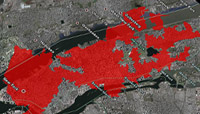
Mine Site Overlayed on 36 U.S. Cities The Hobet mining complex near Mud, West Virginia is one of the largest contiguous mountaintop removal mines. At more than 7 miles long, it covers more than 10,000 acres (15 square miles). Download this file to your Temporary Places folder to view the Hobet mine site overlayed on 36 U.S. cities. |
|
|
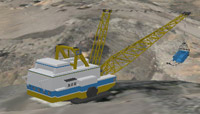
3-D Model of a Dragline Download a life-sized 3-D model of a dragline to your Temporary Places folder. A dragline is a massive mining machine used to scoop up demolished bedrock and mining waste and dump it into valleys below. |
|
|
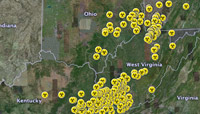
Coal Sludge Dams in Appalachia Download this file to your Temporary Places folder to see all 330 coal sludge dams in Appalachia. You’ll find links to more information about each sludge dam including volume, height, owner, and safety rating. |

More Resources
Read the Google Earth Outreach case study
Download the tour files (kmz)
Download the network link – same as the link above, but the content remains on Google servers (kml)